


ReadEra Premium – ebook reader
4.82.93K Reviews
App Specs
- Version
- 26.05.20+2300
- Updated On
- License
- $14.99
- Downloads
- 100,000+
- Developer
- READERA LLC
- Categories
- Books & Reference
- Platform
- Android, iOS
Screenshots
 Analysis by AppCompare
I reach for ReadEra Premium when I want one reading app for books and documents already on my device, rather than a storefront that expects me to build a library inside its own ecosystem. That difference shapes the whole experience: it is a flexible reader for personal files, and it works best when I take a few minutes to set up my reading habits instead of treating it as a place to browse for new titles.
It sits in the Books & Reference category, is made by READERA LLC, and has a 4.9 average from around 60,000 ratings. The app has passed 100,000 installs, carries an Everyone age rating, and costs $14.99. Those figures make it worth looking at as a paid reading tool, but the real question is whether its file-first approach suits the way you read.
Start with a tidy, realistic library
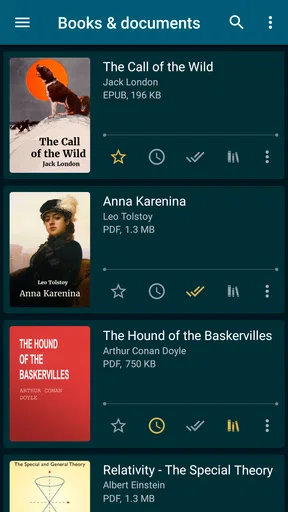
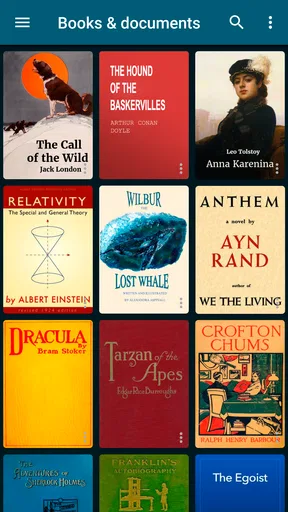
My first practical step is to decide which files I actually want the app to manage. A phone can accumulate manuals, work documents, course readings, and novels in the same storage locations, and an automatic library is most useful when it has sensible material to organize. I would begin with a small group of books, check how their titles and authors appear, then add more once the library feels easy to scan.
This is a useful distinction from the usual ebook-store apps. Those are often better when the main job is finding, buying, and syncing books within one retailer. ReadEra Premium is more appealing when you already have EPUBs, PDFs, MOBI files, or other supported reading material and want a reader that brings those files together. The trade-off is that you should not expect the app itself to be your bookshop; your own files and the places you obtain them from remain part of the workflow.
A reading setup that fits the file
Different formats ask for different compromises. A flowing ebook is usually comfortable when I adjust the type size and page appearance to suit the screen; a PDF may be designed around a fixed page, so the same small-screen reading habits do not always transfer. I would try a sample page before committing to a long session, especially with a scanned document, a dense textbook, or a layout with tables. A good fit for a novel is not automatically a good fit for a technical PDF.
That is where the range of controls earns its keep. I can make the screen calmer without changing the underlying file, and I can use a different appearance for a bright daytime setting than for reading in bed. It is worth testing font size, style, background, and night mode with the actual book rather than choosing settings once and assuming they will work for everything. A large type size can make a novel easier to enjoy but may mean more page turns; a compact layout can suit reference material but feel tiring over a long stretch.
ReadEra Premium is currently at version 26.02.02+2250, and its minimum operating-system requirement is Android 4.1. That broad Android compatibility is useful if you are keeping an older device in service as a dedicated reader. I would still judge the experience on the screen and speed of the particular device: compatibility does not make a small display ideal for every PDF, and a larger screen can make page-based material much more comfortable.
Worth Reading Before You Choose

Flipboard Shows What News Apps Must Do Beyond the Feed

Switching to Android Auto Means Rethinking Your Driving Routine

Google Calendar Makes a Crowded Week Easier to Manage

Ludo King Makes the Most of the Minutes Between Plans

Baby Panda World Brings Quick Play to Modern Phones, but Its Game Library Feels Busy

ESPN’s Live Game View Makes Following Close Games Easier
Building a dependable reading routine
I like to make a reading routine dependable by deciding what I want to find quickly and what can simply stay in the library. A short check before a trip or study session—confirming the right files are visible and opening each one once—can prevent a lot of fumbling later. It also gives me a chance to notice whether a book’s layout needs a different reading setup before I settle in.
Seamless Reading Experience
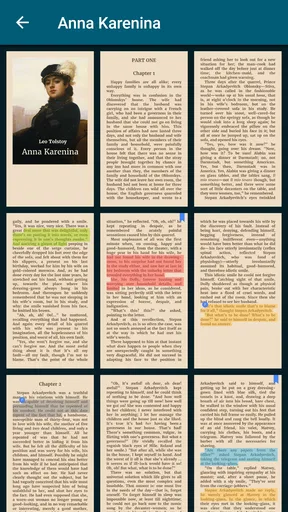
The first thing I noticed about ReadEra Premium is how smooth the reading experience is. The app supports multiple formats like EPUB, PDF, DOC, and TXT, so you can pretty much throw any type of document at it. I loved how it handled PDF files—no lag or weird formatting issues. It’s like having a Kindle, but better, because it’s all in one place on your phone.
One feature I found super useful is the split-page mode. It’s perfect for when you’re reading on a smaller screen. You can view two pages at once, just like a real book. This makes the reading flow so much better and lessens the constant scrolling.
Customization Galore
Now, I’m picky about how my reading screen looks, and ReadEra Premium lets me customize it just the way I like. You can adjust the font size, style, and even the background color. I’m a fan of the sepia tone because it’s easy on the eyes, especially during those late-night reading sessions.
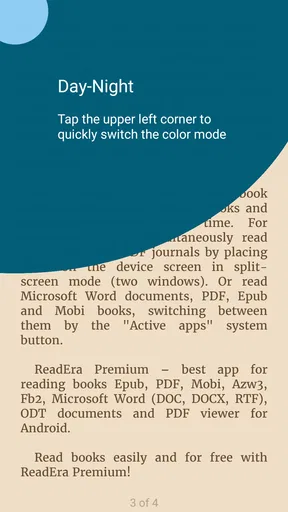
The app also has a night mode, which is a lifesaver when you’re trying to wind down without straining your eyes. Just a tap, and your book transforms into a soothing nighttime read.
Organize Like a Pro
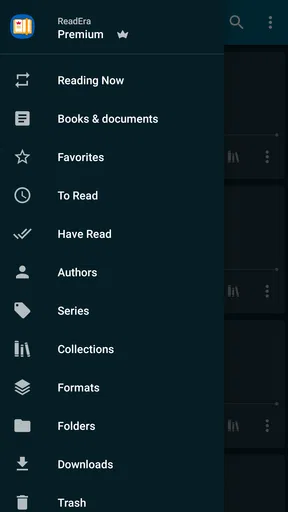
If you’re someone who loves to organize, this app is going to be your new best friend. You can create collections and sort your books into categories. I have folders for fiction, non-fiction, and even a special one for those guilty pleasure reads. It’s all super intuitive, and dragging and dropping books into folders is a breeze.
Plus, the app automatically categorizes your books, which means less work for you. It recognizes author names and genres, making it easy to find what you’re looking for without endless scrolling.
Offline Access
One of the coolest things? You don’t need an internet connection to access your library. This is perfect for when you’re traveling or stuck on a long commute. Just download your books beforehand, and you’re good to go.
I’ve used this feature on a few road trips, and it’s been a lifesaver. No more worrying about spotty connections or using up my data. I just dive into my digital library and let the miles roll by.
Extra Features Worth Mentioning
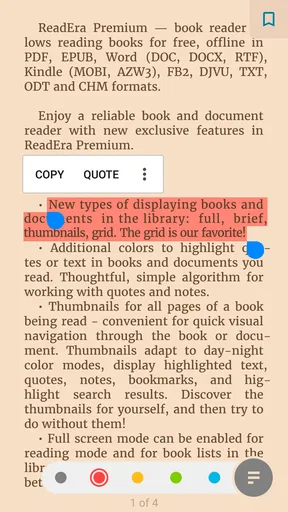
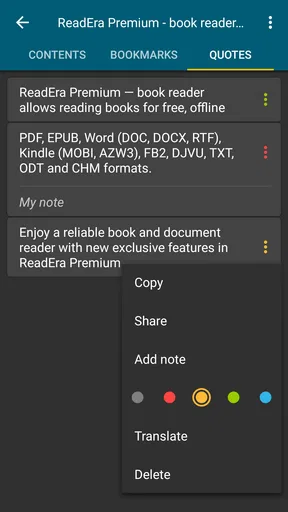
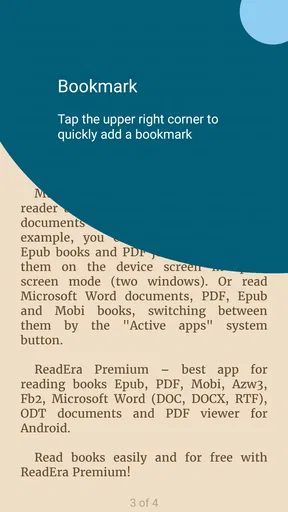
Let me not forget about the bookmark and notes feature. They’re super handy for keeping track of where you left off or jotting down thoughts and quotes. There’s also a handy dictionary integration for those moments when you stumble upon a word that leaves you scratching your head.
And for those who love to read in other languages, the app supports multiple languages, which is a huge plus. It’s like having a little Babel fish in your pocket!
Small habits that make it easier to return
For a repeatable routine, I like to keep the library organized around what I will look for later, not around an elaborate taxonomy. A few broad collections—such as leisure reading, reference, and current study—are easier to maintain than a long list of narrow categories. If the app has already grouped a book in a way that makes sense, I leave it alone; manual sorting is most helpful for the handful of files I reach for often.
Bookmarks and notes are most valuable when I use them with a purpose. In a novel, a bookmark is enough to save my place. In a course reading or a work document, I use a note for a question or a key point I want to revisit, rather than highlighting every passage that seems interesting. That restraint keeps the annotations useful when I return, and it avoids turning reading into a second filing job.
A realistic everyday example is a commute with a novel and a reference PDF on the same phone. Before leaving, I open both once and make sure they appear in the library; on the train, I use the more comfortable text settings for the novel and switch to a page-oriented view for the PDF. If reception drops, the files remain available offline. That simple preparation is more dependable than assuming any reader will fetch or sync material at the moment I need it.
Who will get the most from it
I would recommend this setup to readers who collect ebooks from different sources, students who keep readings on their device, and anyone who wants personal documents beside leisure books without opening a separate app for each format. It is also a sensible choice for a traveler who prefers to prepare files in advance and read without relying on a connection. The appeal is less about a single standout trick than about having a practical reader that accommodates a mixed library.
On the other hand, if you want a guided discovery feed, a large built-in catalog, or a tightly integrated purchase-and-sync experience, a retailer’s own ebook app is likely the more natural choice. Readers who spend most of their time on image-heavy PDFs may also prefer a dedicated PDF tool, particularly if they need extensive document markup rather than comfortable reading. And if you mainly read print books, a paid digital reader will not solve a problem you do not have.
What to expect from the paid edition
The Premium name and $14.99 price make it reasonable to ask whether the upgrade is worthwhile. I would decide based on how often I read on the device and whether I value having a focused library and reading environment enough to pay for it. Someone who reads frequently across several file types can get more daily use from a dedicated reader than a person who opens one ebook every few months. The price is a one-time consideration in this review, not a reason by itself to assume the app is the best fit for everyone.
Before buying, I would test the reading style with the files that matter most to me and consider how I prefer to acquire books. If my collection is mostly fixed-layout documents, the screen size and page handling matter more than collection tools. If it is mostly flowing ebooks, typography and comfortable long-session settings matter more. That small check can prevent a mismatch between what I want to read and what I expect the app to do.
Offline Access
One of the coolest things? You don’t need an internet connection to access your library. This is perfect for when you’re traveling or stuck on a long commute. Just download your books beforehand, and you’re good to go.
I’ve used this feature on a few road trips, and it’s been a lifesaver. No more worrying about spotty connections or using up my data. I just dive into my digital library and let the miles roll by.
Extra Features Worth Mentioning
Let me not forget about the bookmark and notes feature. They’re super handy for keeping track of where you left off or jotting down thoughts and quotes. There’s also a handy dictionary integration for those moments when you stumble upon a word that leaves you scratching your head.
And for those who love to read in other languages, the app supports multiple languages, which is a huge plus. It’s like having a little Babel fish in your pocket!
Final Thoughts
All in all, ReadEra Premium is a fantastic app for anyone who loves to read. It’s packed with features that make reading on a screen almost as satisfying as flipping through real pages. Whether you’re a casual reader or a bookworm, this app is definitely worth checking out.
With its easy navigation, customization options, and offline capabilities, it’s become one of my must-have apps. So, if you’re ready to upgrade your reading experience, give ReadEra Premium a try. You won’t be disappointed!
Where its strengths have limits
I would not treat one reader as a perfect answer for every file. A PDF can preserve a page layout, which is helpful for diagrams and handouts, but the same fixed page can be cramped on a phone. Split-page mode can make the presentation feel more book-like, yet it is not automatically the best choice for every screen or document. I switch approaches based on the material instead of forcing a single view across the whole library.
There is also a practical difference between reading and managing source files. The app can bring books together, but a tidy library still depends on filenames and the quality of the documents I add. If an ebook has incomplete or confusing metadata, automatic sorting may not put it where I expect. I check the library after importing a batch and correct my own collection habits rather than assuming categorization will replace all manual housekeeping.
For readers who annotate heavily, it is worth deciding whether the available notes and bookmarks match the way they study. They are useful for keeping a place or capturing a thought, but someone whose workflow depends on elaborate PDF editing, shared annotations, or research citation management may be better served by a specialized tool. I see this app primarily as a reader and library, not a full academic document system.
My verdict after settling into a routine
The app becomes more useful once I settle on a few repeatable choices: keep the library broad and easy to browse, adjust the display for each kind of file, and use notes sparingly enough that they remain meaningful. Those habits bring out its strongest quality, which is convenience across a personal collection, rather than an endless stream of features that need constant attention.
If you already have books and documents you want to read on Android, I think ReadEra Premium is a compelling option to consider. If you want a bookstore first, or need specialist tools for complex PDFs, I would compare alternatives before paying. For a reader who values local files, flexible presentation, and a library that can travel offline, it makes a convincing everyday companion.
Pros
- Supports multiple ebook formats seamlessly.
- No ads to distract from reading.
- Customizable reading modes enhance comfort.
- Offline reading available for convenience.
- Syncs across devices effortlessly.
Cons
- No audiobook support currently available.
- Limited cloud storage for large libraries.
- Lacks social sharing features.
- No built-in dictionary feature.
- Interface might feel outdated to some users.
FAQs for ReadEra Premium – ebook reader
What features does ReadEra Premium offer compared to the free version?
ReadEra Premium offers several advanced features not available in the free version. These include ad-free reading, enhanced book organization options, custom reading modes, and additional themes. Users can also enjoy multiple format support, allowing them to store and read various types of documents, such as PDF, EPUB, MOBI, and more, seamlessly.
Is ReadEra Premium compatible with cloud storage services?
Yes, ReadEra Premium is compatible with various cloud storage services. This allows users to easily access their ebook library from multiple devices. By connecting your cloud accounts, you can synchronize your reading materials, ensuring that your progress and annotations are always up-to-date, regardless of where you read.
Does ReadEra Premium support offline reading?
Absolutely, ReadEra Premium supports offline reading, which means you can download your books and documents directly to your device. This feature is particularly beneficial for users who travel frequently or have limited internet access, ensuring that your reading experience remains uninterrupted wherever you are.
Can I customize the reading experience in ReadEra Premium?
Yes, ReadEra Premium provides numerous customization options to enhance your reading experience. Users can adjust font size, style, and background color to suit their preferences. Additionally, the app offers night mode and sepia mode, which reduce eye strain during extended reading sessions, making it more comfortable to read in various lighting conditions.
What formats does ReadEra Premium support?
ReadEra Premium supports a wide range of formats, making it a versatile choice for readers. These include popular formats such as EPUB, PDF, DOC, RTF, TXT, MOBI, and more. This extensive format support ensures that users can read virtually any type of document or ebook without needing to convert files, streamlining the reading process.


